Library
The library uses ESM imports and has no runtime dependencies. It supports Node.js 22.6+ on Linux and macOS.
Typed pipelines for Node.js. Define dependencies, preview execution, and inspect step results.
Inspired by cycling, designed to keep work rolling with fewer flats and less resistance.
    $ bunx tubeless plan ./examples/minimal-pipeline.ts --target normalize --explain
    Pipeline minimal: plan (ok=true, dryRun=false, steps=2)  - load: run (required by normalize for target normalize) - Read rows supplied by the caller.  - normalize: run (target normalize) - Trim rows and remove empty entries.
Build a pipeline with createSteps, step, and definePipeline.
Preview the selected steps with plan(), then execute with
run() or runOrThrow(). The CLI uses the same pipeline definitions.
The library uses ESM imports and has no runtime dependencies. It supports Node.js 22.6+ on Linux and macOS.
Inspect, preview, and run pipelines from the terminal. The CLI requires Bun 1.3.14 or later.
Pipelines run in your Node.js process. No separate server is required.
Connect steps through their inputs and outputs. TypeScript checks the values passed between them, and Tubeless checks for missing dependencies, cycles, and duplicate IDs before execution.
import { createSteps, definePipeline } from "tubeless";

interface ImportOptions {
  lines: readonly string[];
}

const { step } = createSteps<ImportOptions>();

const load = step("load", {
  run: (_inputs, context) => context.options.lines,
});

const normalize = step("normalize", {
  dependsOn: [load],
  run: ({ load: rows }) =>
    rows.map((row) => row.trim().toLowerCase()).filter(Boolean),
});

export const ImportPipeline = definePipeline({
  id: "import",
  steps: [load, normalize],
}); plan() lists the steps selected for a target without
executing them. Export the dependency graph as Mermaid with
toMermaid().
flowchart LR
required optional input + failure gate
flowchart LR
  step0["build-artifact"]
  step1["validate-artifact"]
  step2["publish-artifact"]

  step0 --> step1
  step0 --> step2
  step1 -. optional input + failure gate .-> step2
run() returns step results, failures, and timings.
The terminal reporter displays progress during execution.
Run history can be stored in SQLite or exported as NDJSON.
Open recorded runs in your browser to inspect step timelines, live step graphs, logs, errors, and child pipelines. Register commands to preview and launch new runs.
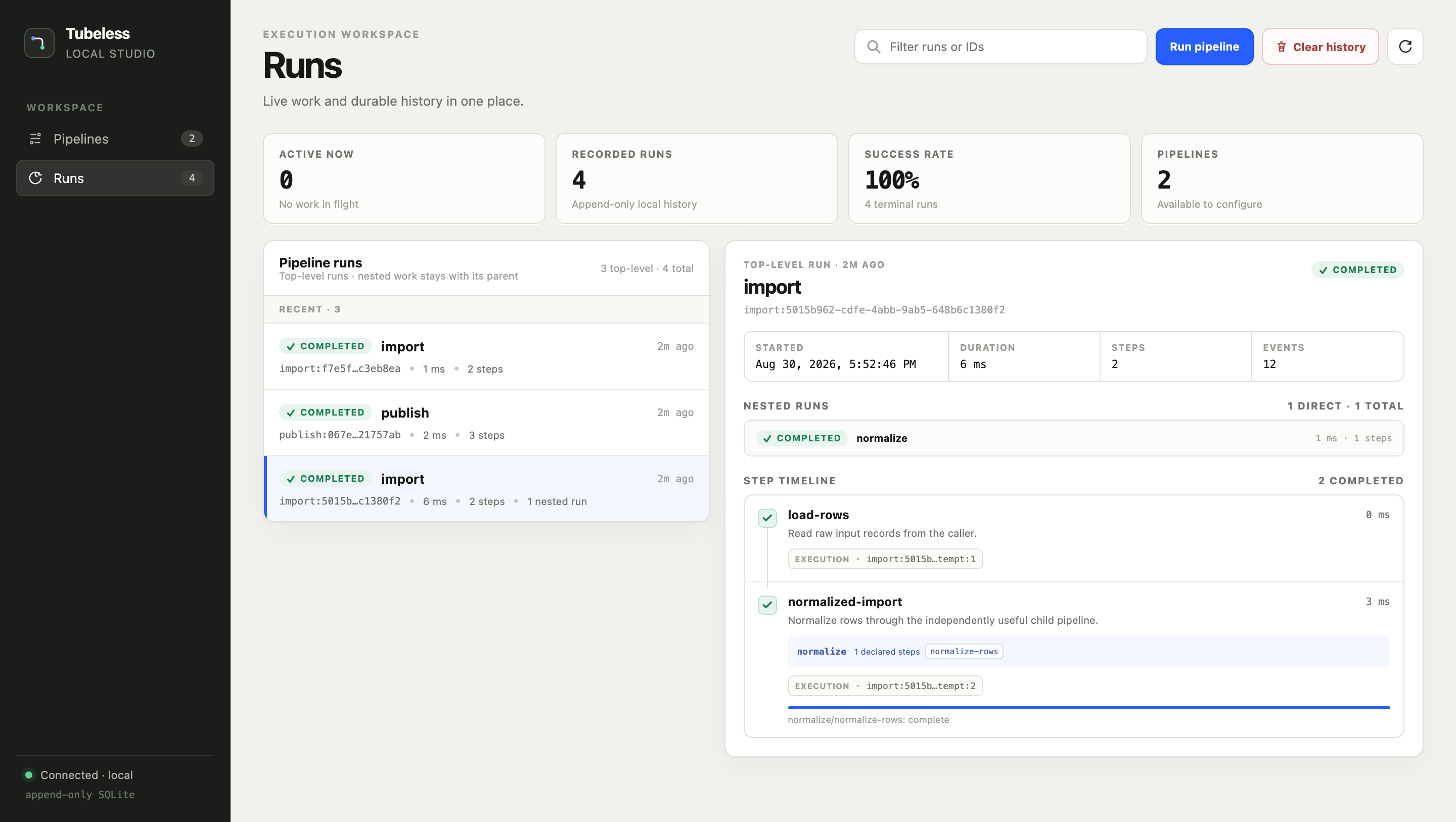
See how Tubeless fits into agents, release scripts, data jobs, and maintenance tasks.
Run LLM turns, tool calls, and subagents as pipelines. Trace each run and use the answer in your next step.
Run the same release logic locally and in your CI runner.
Coordinate dataset preparation, training jobs, and evaluation.
Retrieve context, call a model, and validate its response.
Import records, enrich them through an API, and write the results.
Run tenant setup, migrations, and other maintenance commands.